15 video filters. We didn't lock any of them.
The cinematic, film and old-money looks people pay subscriptions for, built as proper LUT colour grades. Every one is free, with an intensity slider, on every clip.
- Looks
- 15 + Original
- Type
- LUT colour grades
- Control
- Intensity per clip
- Price
- Free, all of them
See what each one does
Drag across the photo to compare. These are the real filter files from the app, applied to sample photos with the same maths the app uses on export.
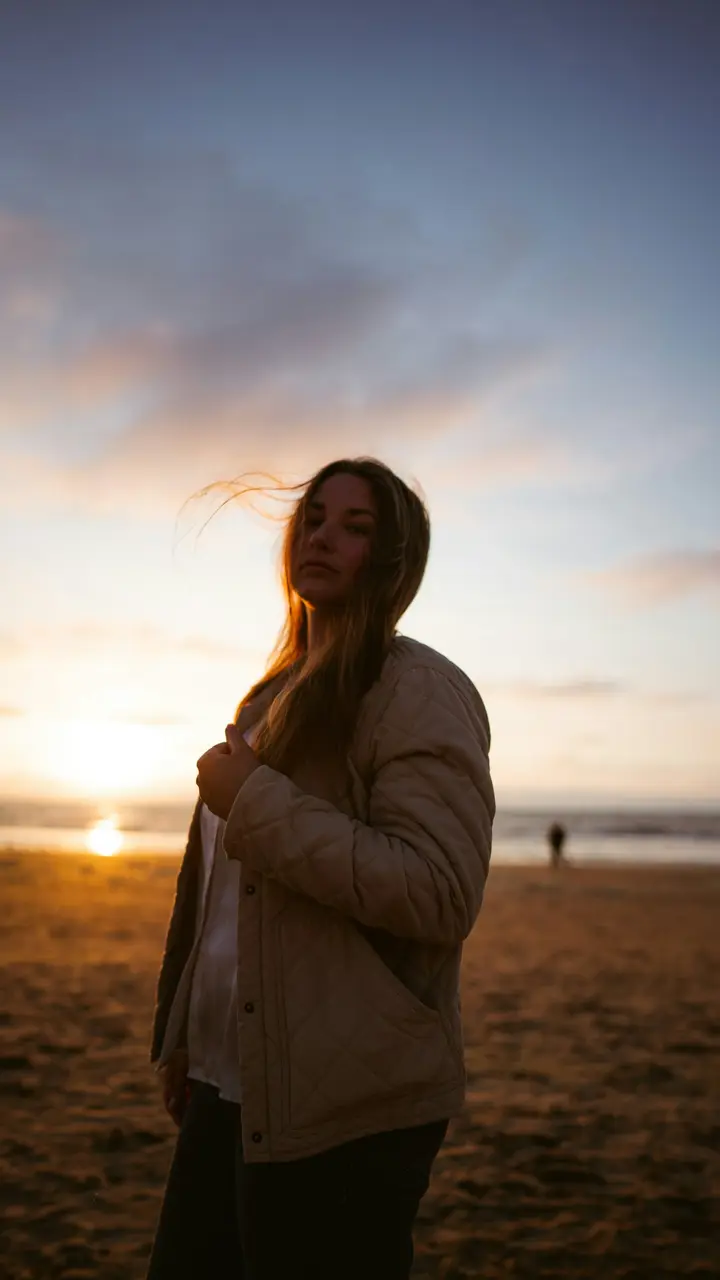
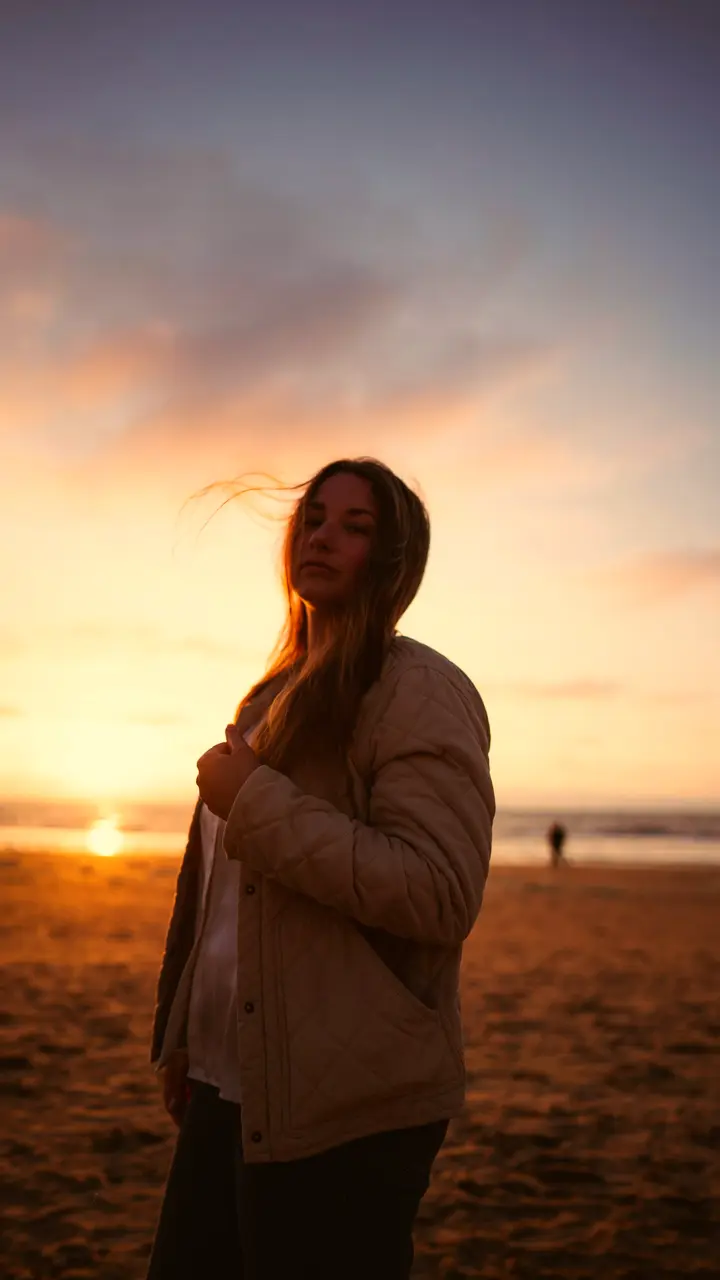 OriginalGolden
Golden
Pushes highlights towards orange and adds colour. Kind to skin, great on sunsets, weddings and portraits.
Measured on these photos at full strength. The app's default is 80%.
Sample photos by Bruno van der Kraan and Zoshua Colah on Unsplash.
Every filter

Golden
Pushes highlights towards orange and adds colour. Kind to skin, great on sunsets, weddings and portraits.

Cinematic
Cooler shadows, a little more contrast, skin left warm. The trailer look, without going full teal-and-orange.

Warm Film
Soft, warm and slightly faded, like a roll of analogue film. Flattering on almost anything.

Cool Film
Cooler, flatter and a bit desaturated. Rainy cities, mornings, calm moods.

Old Money
Muted, a touch darker, colours pulled back. Linen, coastlines, quiet luxury.

Moody
Drains colour and darkens the image. Night, rain, anything that should feel heavy.

Vibrant
More saturation and contrast with a slight warm push. Street food, Holi, markets.

Dream
Brighter, softer contrast and much less colour. Airy and hazy.

Retro
Flattens contrast and fades colour with a warm cast. Instant nostalgia.

Digicam
Cool cast with crunchy contrast, like a 2005 point-and-shoot.

Cream
Brighter and softer with gentle colour. Cafés, interiors, skin.

Autumn
Strong amber warmth and richer colour. Golden hour, all day.

Warm
A clean warm shift and a little more colour. Nothing else.

Clean
Adds a bit of contrast and leaves colour alone. For footage that's already good.

B&W
Black and white with proper contrast.
Why these are free
Filters cost an app almost nothing to ship. Paywalling them is a business decision, not a technical one, and it's the most annoying one in mobile editing: you build a whole reel, pick a look, and get told to subscribe. We'd rather you made the reel.
Using them well
- Turn it down. At 100% most looks are too much on phone footage. Try 60%.
- One look per reel. Apply to all clips makes footage from different phones and lighting feel like one shoot.
- Fix exposure first. A filter won't rescue a clip that's far too dark.
- Watch skin. If faces go orange or grey, switch to Golden or Clean.
How to apply one
- Select a clip on the timeline.
- Tap Filters and swipe through. The preview updates live.
- Set Intensity.
- Tap Apply to all clips if you want the same look everywhere.
Filters are rendered on your phone at export, at full resolution. Pair one with a voiceover and the reel's done.
Questions
Are they actually free?
All 15. No premium badge, no trial, no “unlock with Pro”.
What's a LUT?
A lookup table: a map from every input colour to an output colour. It's what film colourists use to give footage a look. Unlike a tint, it can warm skin while cooling shadows, or lift blacks without washing out colour.
Can I make a filter weaker?
Yes. Every filter has an intensity slider. Most looks are best somewhere between 50 and 80%.
Can I use one filter on every clip?
Yes. Pick a look and tap Apply to all clips. Or set a different one per clip.
Which filter should I use?
Golden or Warm Film for people and sunsets. Cinematic or Moody for drama. Old Money for a soft, muted, expensive feel. Vibrant for food and festivals. Clean when the footage is already good.