Let it write the script
ExpertShot looks at what's in each scene and writes narration that fits. You read it, fix what's wrong, and then it's voiced.
AI voiceover from videoAdd your clips and ExpertShot writes a line for each scene, then reads it out in Hindi, Hinglish or English. Change any word before the voice is made. Then finish the reel properly: cuts, music, captions, filters, your logo.
Free on iPhone and Android. No account needed.
Yeh view dekh ke sab bhool jaoge ✨
Roughly how it goes the first time. It gets faster once you've saved a filter and a watermark.
Pick four clips from Sunday's trip to Lonavala.
Choose Hinglish, a storytelling style and a warm voice.
The script comes back, one line per scene. You change “the hills” to “Tiger Point”, because the AI wasn't there.
Voice is generated. Captions appear from the same script.
Golden on all clips. Music at 30%, ducking under the voice.
Export at 1080p and post.
ExpertShot looks at what's in each scene and writes narration that fits. You read it, fix what's wrong, and then it's voiced.
AI voiceover from videoPaste a script you've already written, or one Claude wrote for you. Line breaks become pauses. Pick a voice and generate.
Script to voiceHold the button and talk. The recording lands on the timeline, and old takes stay under Recordings in case you prefer one.
The editorPlenty of people never touch the AI. Here's what's on the timeline without it.
These are the app's real filter files on real photos. Drag across to compare, and try the intensity slider. All 15 filters
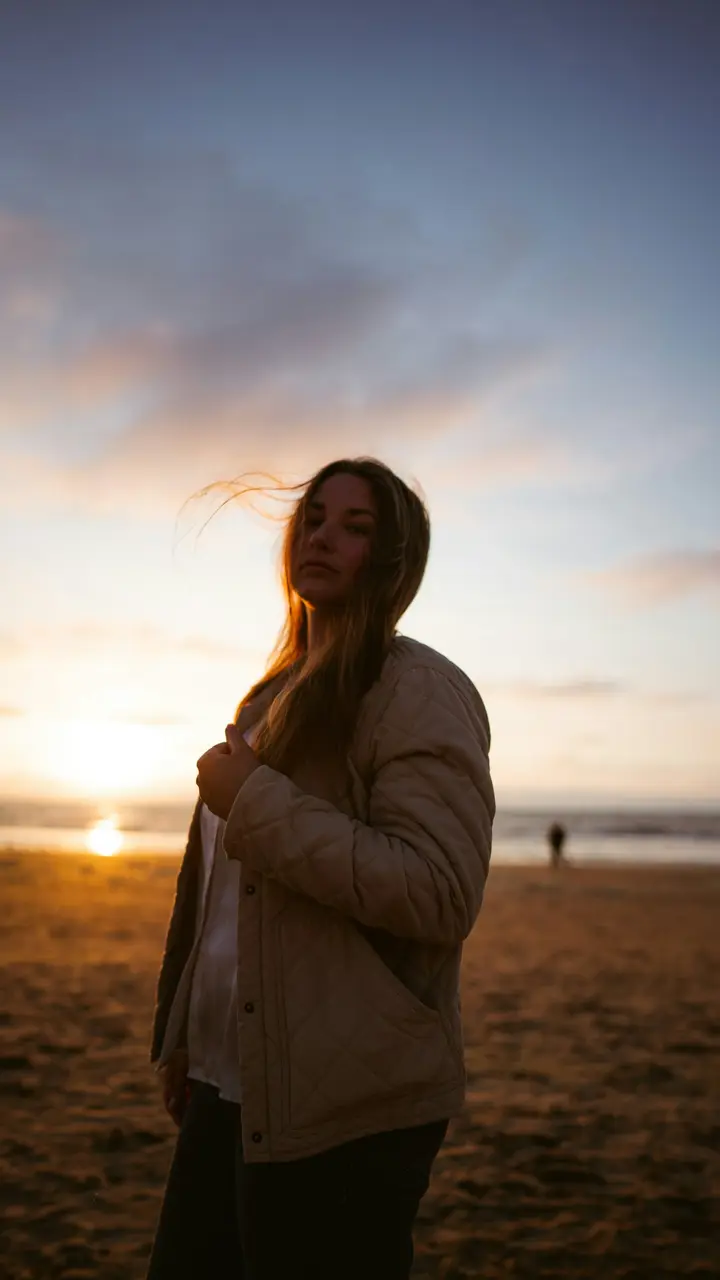
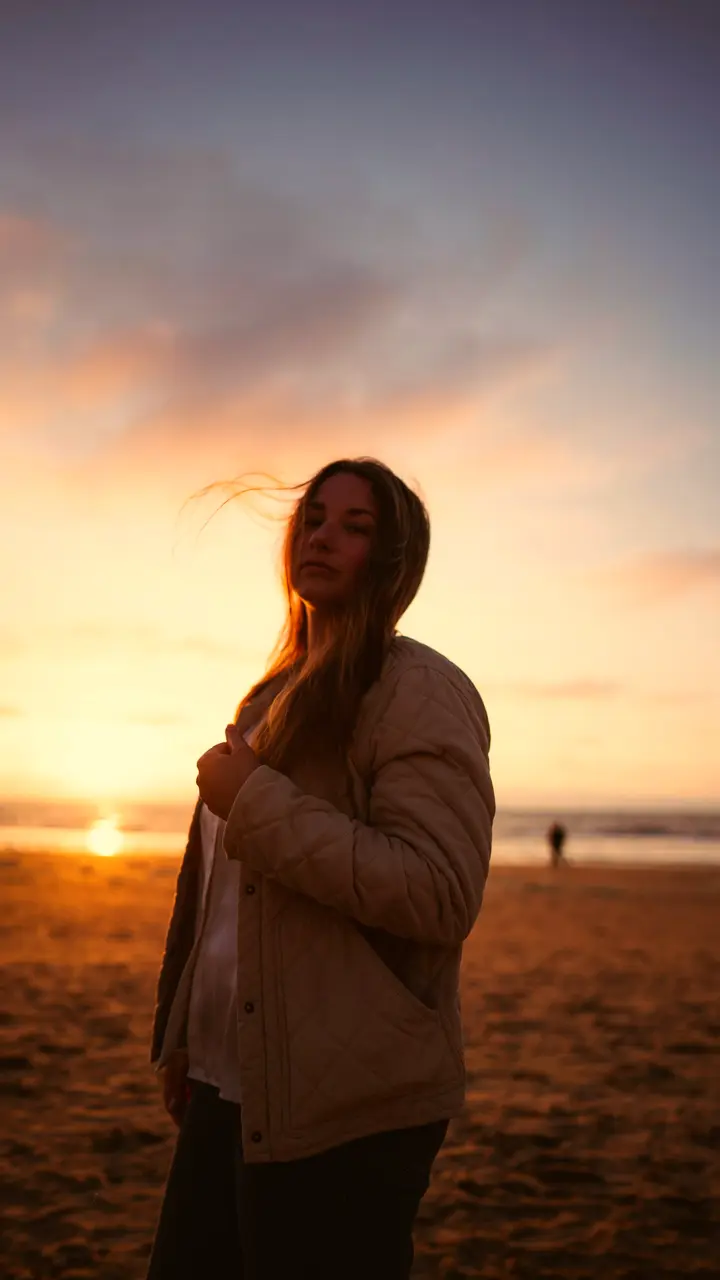 OriginalGolden
Pushes highlights towards orange and adds colour. Kind to skin, great on sunsets, weddings and portraits.
Measured on these photos at full strength. The app's default is 80%.
Sample photos: Bruno van der Kraan and Zoshua Colah on Unsplash.
Voice is the big one, but not the only one.
Finds the most eye-catching moment in your clips, offers to open the reel with it, and suggests hook lines in your language.
How Hook finder worksBlur, replace or remove what's behind you, with no green screen. Swap a messy room for a colour, a photo or another video.
Change a video backgroundOne tap for dark, grainy or soft phone footage. Brightens, cleans up low-light noise and sharpens, before you add a filter.
Fix dark, grainy videoSometimes you just need to cut the end off a video or make it fit Instagram. That's all here too, free.
Custom watermark: your logo or @handle, any corner, any opacity, saved for next time.
Connect ExpertShot to Claude and ask for a reel the way you'd brief a friend. Claude writes the script, a shot list and an edit plan, and sends it to the app as a project.
Open it, drop in your clips, and the voice, captions, filter and music are already set up. Claude can't film your café for you, so the footage is still yours. Everything after that is handled.
How the Claude connector worksWrite a 20 second Hinglish reel for our café's new cold coffee. Fun, not cringe. Send it to ExpertShot.
Claude
Here's a 4-scene plan:
Most voice tools treat Hinglish as broken Hindi. In ExpertShot it's its own language option, so “weekend plan kya hai” is read like a sentence, not a spelling test.
Hindi and Hinglish voiceoverSomething else? Help or email us.
Yes. The editor is free, including all 15 filters, text, music, captions, picture-in-picture and your logo watermark. AI voice has a usage allowance, shown in the app.
Yes. Paste or type your script into Script to voice and pick a voice. Or let the AI write a draft from your video and edit every line before the voice is made.
Hindi, Hinglish and English. Hinglish is a separate option, written and spoken the way people mix the two in conversation. More on Hindi and Hinglish.
Claude writes: the script, a shot list and an edit plan. With the ExpertShot connector it sends that to the app as a project. You add your clips; ExpertShot does the voice, captions and effects.
No. Open the app and start. You can link an account later if you want your projects on another phone.
Nowhere, unless you ask the AI to write a voiceover from it. Editing and export happen on your phone. Clips sent for AI are deleted from our servers within 7 days. Details in the privacy policy.